
There are 6 key filters you can use:
Read date
-
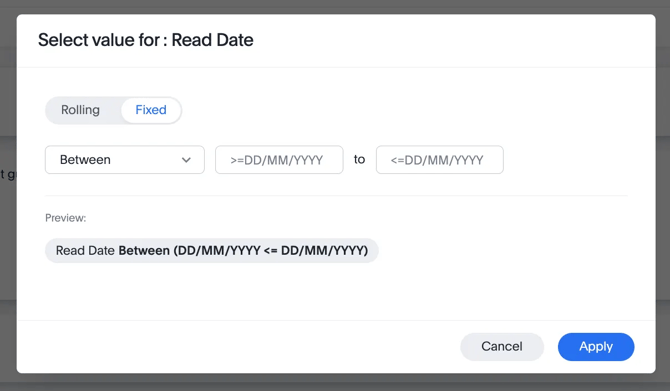
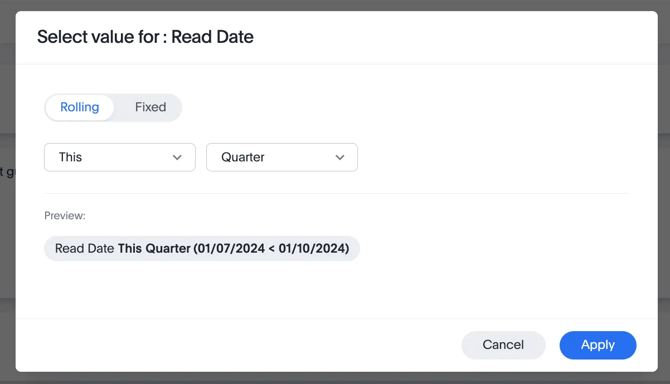
Choose whether you want a Fixed or Rolling date range (Fixed is the default). The former allows you to pick a specific date reference. The latter allows you to specify a specific interval or condition
-
Fixed
For example, selecting the Between parameter for a fixed date range lets you specify a start and end date.
-
Rolling
-
Publisher name
- This filter is relevant for publishers with multiple imprints and allows you to view data by specific imprint. If no additional publisher names are listed, it means your account is not associated with multiple imprints.
- If this seems incorrect, please contact your account manager.
Book subject
- This filter reflects the subject metadata you provide for each book. While you may categorise subjects using the BISAC standard, our customer-facing categories might differ slightly in the dashboard and on Perlego’s platform.
- Use this filter if you want to understand the performance of a given subject.
User persona
- During onboarding, Perlego users select a persona from the following options:
- Student
- Educator (e.g. Faculty)
- Administrator (typically from a University)
- Independent learner
- Publisher
- None of the above
- N/A (for those that don’t complete our onboarding)
If some persona options don’t appear in your filter, it means no users who identified with that persona have engaged with your books during the selected time period.
Please note, users self-identify with these personas and may skip this process, so the data might be incomplete.
Country
- Use this filter to analyse engagement and performance in a specific country.
Book Language
- Use this filter to evaluate the engagement and performance of content in a particular language.