Time buckets
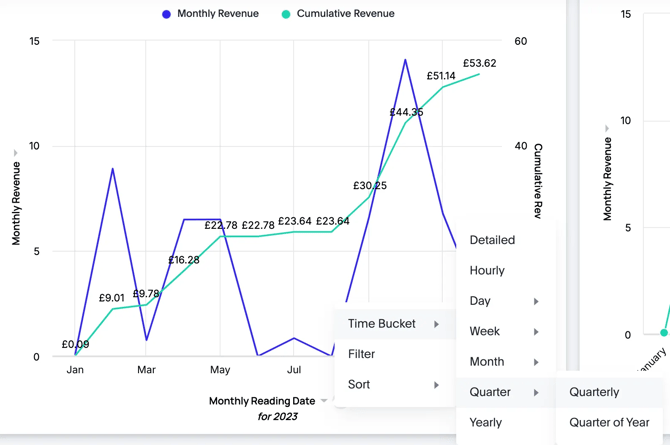
The bar and line charts in the dashboard display time series data using periods known as "Time Buckets." By default, these buckets are set to monthly intervals. You can adjust the Time Bucket to group the data into different periods, such as quarterly.
To change the Time Bucket:
- Click on the Date label on the x-axis (see image below).
- Hover over the Time Bucket option.
- Select the desired Time Bucket.
Sorting and filtering
You can sort bar and line charts in ascending or descending order based on the date, which typically reverses the x-axis ordering. Filtering on a chart axis lets you define specific date ranges for that chart, independent of the entire dashboard.
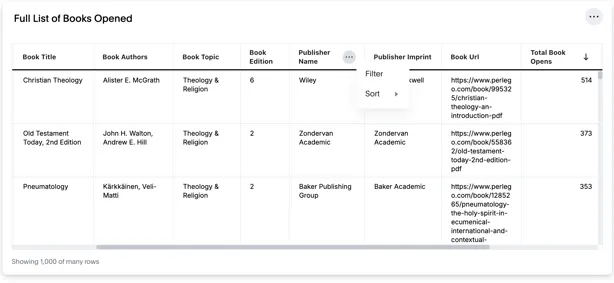
For tables, the sort option allows you to select which column the table is sorted by, while the filter options let you narrow down table results based on any of the columns.