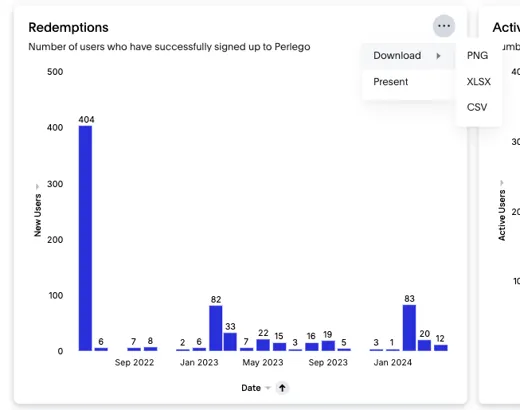
You can download the entire dashboard as a PDF or export individual charts or tiles in PNG, XLSX, or CSV format.
Dashboard downloads
- In the top right, click on the three dots button.
.png?width=670&height=71&name=Untitled%20(52).png)
-
Select the Download option.
-
Choose between Liveboard or Visualisations:
- Liveboard: Downloads images of each Analytics tab on separate pages.
- Visualizations: Downloads images of each chart or tile on individual pages.
Chart downloads
You can export data from any chart or tile within the dashboard in PNG, XLSX, or CSV format.
- To download the data click on the three dots icon to open the chart menu.
- Select the Download option.
- Choose the file format (PNG, XLSX or CSV).